Table of Contents
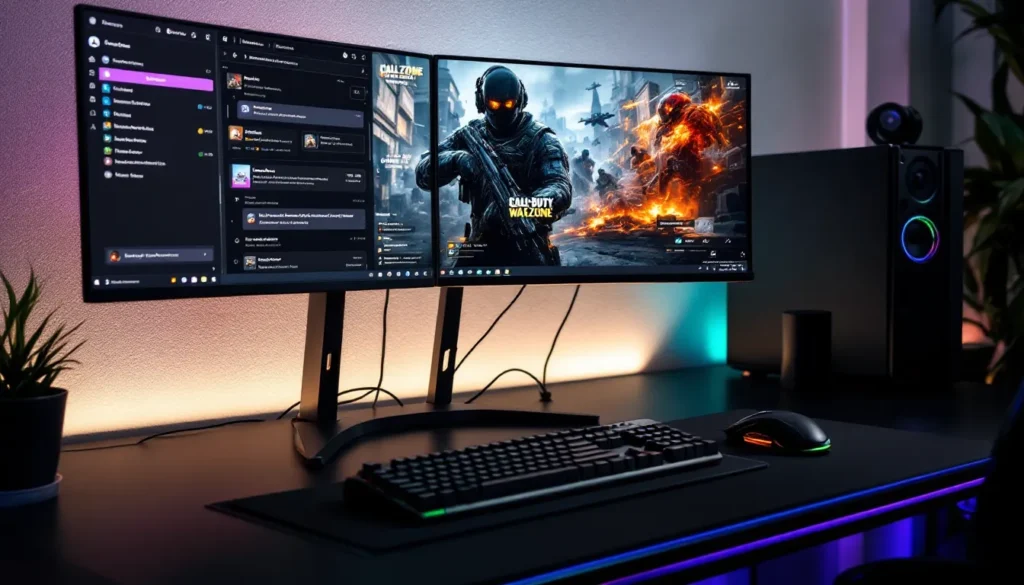
ToggleIf you’re grinding Call of Duty solo, you’re missing out on one of the biggest advantages competitive and casual players alike are tapping into: active, thriving Call of Duty Discord communities. Whether you’re hunting for a squad to run ranked play, looking to stay updated on the latest meta shifts, or just want to connect with people who get why you spent three hours perfecting your SMG loadout, Discord has become the unofficial headquarters for the CoD scene. These servers aren’t just chat rooms, they’re ecosystems where strategy guides flow, tournaments get organized, tournaments get organized, and friendships built around shared passion for the franchise actually stick. In 2026, the Call of Duty Discord landscape is more populated and feature-rich than ever, with everything from casual hangouts to hardcore esports networks. If you haven’t explored what’s out there yet, or you’ve been in one server for years and wonder what you’re missing, this guide will walk you through finding, joining, and thriving in the communities that matter.
Key Takeaways
- Call of Duty Discord communities provide instant access to competitive teammates, strategy resources, and organized tournaments that dramatically improve gameplay and competitive development.
- Finding the right Call of Duty Discord server depends on your goals: use directories like Disboard and Top.gg for broad discovery, or ask existing community members for curated recommendations matching your skill level and playstyle.
- Building a strong reputation in Discord servers through reliability, positive contributions, and clear voice communication opens doors to team-ups, tournaments, and long-term gaming friendships.
- Well-moderated servers with clear role structures, automated bots, and organized leaderboards create functional communities where casual and competitive players can thrive without chaos.
- Audio quality, concise callouts, and following server etiquette transform Discord voice channels into competitive advantages that separate coordinated teams from solo grinders.
- Joining a Call of Duty Discord community shifts your experience from isolated matchmaking roulette to access to thousands of players across every skill level, timezone, and playstyle.
What Is Call Of Duty Discord And Why You Should Join
Call of Duty Discord isn’t a single server, it’s a network of thousands of servers where CoD players congregate to play together, share knowledge, and build community around the franchise. Think of it as the digital equivalent of hanging out at an arcade back in the day, except instead of one physical location, you’ve got infinite rooms tailored to every playstyle and interest.
These servers operate as hubs where members post LFG (looking for group) messages, share clips from their best matches, organize custom game tournaments, and debate everything from optimal weapon attachments to map control strategies. The Discord platform itself, with its voice channels, text channels, and role-based permission systems, is practically purpose-built for gaming communities. It’s free, it’s accessible across PC, console, and mobile, and it’s where Call of Duty’s most active players naturally congregate.
Joining a Call of Duty Discord server gives you immediate access to a community that speaks your language. Whether you’re on Warzone, Multiplayer, Zombies, or Call of Duty Mobile, there’s a corner of Discord built for your interests. The difference between grinding solo and being part of an active server often comes down to wins, K/D ratios, and most importantly, the actual enjoyment you get out of the game. Having teammates who understand the meta, communicate clearly, and play at your skill level transforms the entire experience.
Benefits Of Joining A Call Of Duty Discord Community
Finding Competitive Teammates And Squads
The single biggest pain point for solo players is matchmaking roulette, queuing up and hoping your random teammates have mics, know the spawns, and won’t rush B every single round. Discord solves this entirely. Dedicated Call of Duty Discord servers have LFG channels specifically designed for finding players at your skill level and with compatible play styles.
Instead of leaving it to chance, you post something like “2v2 Warzone, KD 1.5+, looking for grinding partners” and within minutes you’ve got responses from people actively seeking the same thing. Competitive-focused servers often have rank restrictions, placement requirements, and verification systems to ensure quality matches. You’re not just finding random players, you’re finding people with skin in the game who want consistent teammates for ranked or tournament play.
The roster-building aspect is massive for anyone serious about competition. Players use Discord to scout talent, form squads for franchise tournaments, and build long-term teams. Even casual players benefit: having a core group of reliable teammates means you actually improve faster because you’re building chemistry, learning callouts together, and developing actual strategy instead of improvising every match.
Accessing Exclusive Tips, Strategies, And Game Updates
The best Call of Duty strategists don’t post YouTube videos or write medium-length blog posts, they share their knowledge in Discord servers where engaged communities actually discuss and iterate on ideas in real time. Servers dedicated to loadouts, map strategy, and competitive meta usually have pinned guides, strategy channels, and members actively breaking down patch notes and balance changes.
When a new season drops, these servers become data hubs. Members theorycraft weapon viability, test TTK (time-to-kill) numbers, compare attachments, and share build recommendations faster than any content creator can publish. You get early access to meta shifts, niche strategies that haven’t gone mainstream yet, and direct access to players executing these strategies at high levels.
The update channel culture is particularly valuable. Rather than stumbling through patch notes alone, Discord communities aggregate changes, highlight what matters for your playstyle, and discuss long-term implications. A single well-organized server can save you hours of trial and error.
Networking With The Esports Community
For players with esports aspirations, Discord is where opportunity lives. Talent scouts, team managers, and esports organizations actively monitor community servers, looking for standout players to recruit or invite to grassroots tournaments. Many pro players maintain Discord presence and engage directly with community members, conversations that would’ve been impossible a decade ago now happen in text channels and DMs.
Tournaments, league play, and competitive events get organized through Discord far more often than through official channels. Whether it’s a $500 community tournament or a franchise league, you’ll find brackets, team signups, and discussions happening in Discord. Being active in competitive-adjacent communities increases your visibility and creates pathways to higher-level play. People get discovered, scouted, and recruited through these networks consistently.
Top Call Of Duty Discord Servers To Join Right Now
Official Call Of Duty Communities
Activision and Sledgehammer Games maintain official Call of Duty Discord servers, which serve as the de facto source for patch notes, developer updates, and official community events. These servers tend to be massive, sometimes hundreds of thousands of members, but that size means they’re heavily moderated and organized with clear role structures.
The official servers host community challenges, seasonal events, and direct communication channels with developers. If you want to know about upcoming balance changes, limited-time modes, or official tournaments, the official Discord is the first place to check. The downside is the noise-to-signal ratio: with that many members, finding good team-ups can be difficult, and meaningful discussion gets buried under casual chatter.
Still, they’re worth joining for the primary information hub role they serve. Your game is updated by Sledgehammer Games (for recent titles), and their Discord reflects that responsibility.
Competitive And Ranked Play Communities
Servers like GamerLink, LFG-focused hubs, and franchise-specific competitive communities are where serious players live. These tend to be smaller, more curated, and feature strict verification, often requiring proof of K/D, rank, or tournament participation. The trade-off: fewer members, but dramatically higher-quality teammate pools.
Many of these servers organize their own competitive seasons, point systems, and leaderboards. Members climb through structured ranked ladders, earning roles and recognition based on performance. It’s not just casual play, it’s infrastructure for competitive development. If you’re working toward 2v2 tournaments, league play, or just want to compete against consistently good opponents, these are your target communities.
Competitive servers also typically have dedicated channels for loadout discussion, meta analysis, and tournament coverage. The members understand the game at a deeper level and discuss strategy with actual data and reasoning.
Casual And Social Gaming Servers
Not every Discord server is about climbing ranks or winning tournaments. Massive casual-focused servers exist purely for fun, content creators, streamers, and “just for laughs” communities where the priority is entertainment and friendship over performance metrics.
These servers are great if you want banter, funny clips, custom game lobbies where no one’s sweating, and a low-pressure environment. Many include additional gaming interests beyond Call of Duty, making them valuable for broader networking. The vibe is completely different, less stressful, more social, and absolutely valid if that’s what you’re after.
How To Find And Join Call Of Duty Discord Servers
Using Discord Server Directories And Search Tools
The simplest method for finding Call of Duty Discord servers is using dedicated Discord server directories. Websites like Disboard, Discord.me, and Top.gg allow you to search by keyword (try “Call of Duty,” “COD,” “Warzone,” or “Call of Duty Mobile”) and browse thousands of servers sorted by member count, rating, and activity level.
These directories show server descriptions, member counts, category tags, and often user reviews. You can filter by language, activity level, and specific interests. The limitation is discovery bias, the largest servers rank highest, not necessarily the best ones for your specific needs. But as a starting point, directories give you breadth and let you quickly identify the landscape.
Once you find a server on a directory, joining is instant. No invite code needed, no admin approval. Many have verification steps once you’re inside (reaction roles, rules acknowledgment), but entry is open. The call of duty discord communities on these directories range from brand-new and niche to established and massive.
Getting Recommendations From The Community
The second method, and often more reliable, is asking existing communities directly. If you’re already in one Call of Duty Discord server and looking to branch out, asking active members “What other servers do you use?” generates honest, curated recommendations. People will tell you which servers actually deliver on their promise and which ones have dead channels or poor moderation.
Reddit communities like r/blackops6 or r/CODWarzone often have pinned server recommendations. Gaming forums and even Twitch chat discussions yield server links. Word-of-mouth recommendations are valuable because they come with implicit quality assurance, if someone’s recommending a server, they’ve actually tested it.
You can also ask specifically for servers matching your needs: “Looking for a competitive Ranked Play server” or “Want a chill Zombies community.” This directional approach beats scrolling through directories because the person recommending understands your criteria.
Many servers also maintain invitation links in their channel descriptions or on their main pages, making it easier to hop between networks once you know what you’re looking for. The gaming community tends to be friendly about sharing good communities, there’s enough room for everyone.
Best Practices For Call Of Duty Discord Server Participation
Building A Positive Server Reputation
If you’re joining a Discord server planning to use it regularly, your reputation matters. In tight-knit communities, people remember who shows up, follows through on plans, and contributes helpfully. A strong reputation means people will want to run with you, invite you to tournaments, and recommend you to others.
Start by reading and respecting server rules. Obvious, but it matters, moderation infrastructure exists for a reason, and violating it flags you as someone not to trust. Next, introduce yourself genuinely. Most servers have intro channels: a real introduction (with your main platform, skill level, timezone) helps people contextualize who you are.
Contribute positively to discussions. Share your own clips, ask genuine questions, and help newer members when possible. Even small gestures, answering a loadout question, explaining a map callout, or reacting positively to someone’s win, build social capital. Avoid drama, don’t complain excessively about balance changes (everyone knows the meta is frustrating sometimes), and don’t spam.
Most importantly, follow through. If you commit to a match, show up on time. If you say you’ll run with someone, don’t ghost them. Reliability builds reputation faster than skill does.
Using Voice Chat And Communication Etiquette
Voice chat is where Discord really shines for gaming. A team communicating through voice chat plays exponentially better than one using text. But voice chat only works if people follow basic etiquette.
Use a decent microphone, nothing fancy required, but clear audio is essential. Mute yourself when you’re not speaking if there’s background noise. Don’t interrupt mid-callout. Call things concisely: instead of “um, I think maybe there’s someone at um, the left building,” say “Contact left building.” Precision matters in competitive play.
Respect voice channel rules. If a server has ranked play channels where only players over a certain rank can talk, respect that boundary. If a channel is for strategy discussion only, don’t use it for casual banter. Different channels serve different purposes, and respecting those divisions keeps the community functional.
Adjust your sensitivity to the room. Competitive channels are tense by nature: casual channels can be more relaxed. Read the vibe and match it. And remember: everyone can hear you. Comments about other players, salty takes, or unprofessional speech stick with people far longer than gameplay does.
Finding LFG (Looking For Group) Partners Effectively
LFG channels are specifically designed for matching up players for sessions. Rather than just posting “LFG,” be specific about what you’re looking for: game mode, skill level range, platform, and availability.
Good LFG post: “2v2 Ranked Play, PS5, Est timezone, 1.5+ K/D, looking for grinding partners, can play evenings and weekends.”
Vague LFG post: “Looking for squad.”
The first approach attracts the right players immediately. The second gets lost in noise. Specificity saves everyone time and leads to better matches.
When responding to someone else’s LFG, introduce yourself briefly: platform, K/D, timezone, playstyle. If someone’s looking for aggressive slayers and you’re a defensive anchor, say so. Honesty upfront prevents wasted sessions and frustration. And as mentioned earlier, when you commit to a session, actually show up. Reliability is your currency in LFG communities.
Common Discord Server Features For Call Of Duty Gamers
Bot Commands And Automated Tools
Most active Call of Duty Discord servers use bots to automate routine tasks and enhance functionality. The most common is role assignment, bots let users click reactions to assign themselves roles like “Warzone Player” or “Rank 45” without moderator intervention.
Other popular bots include stat checkers that pull player data from APIs (Warzone K/D, Multiplayer stats), automated LFG matching systems that pair players based on filters, and moderation bots that handle warnings and manage spam. Some servers use economy bots that create internal currency systems rewarding participation and tournament placement.
These aren’t just convenience features, they scale community management. A server with 10,000 members without bots would be complete chaos. Bots make large communities function while keeping admin burden reasonable.
Leaderboards, Tournaments, And Events
Organized competitive structure keeps communities engaged long-term. Well-run servers maintain leaderboards tracking member performance, seasonal rankings, and tournament brackets. Some use external platforms like Challonge or Smash.gg for tournament management, while others build systems directly in Discord.
Regular events, community tournaments, challenge events, map-specific competitions, create rhythm and purpose. Members know that joining means access to structured competition beyond ranked matchmaking. Prize pools vary from server to server: some offer cosmetics or in-game currency, others are purely for bragging rights.
The event calendar also serves a community-building function. Events give people reasons to show up, grind, and engage meaningfully. A server with a tournament every other weekend creates habit and loyalty that wouldn’t exist otherwise.
Role-Based Access And Server Organization
Discord’s role system is where good server structure happens. Roles control what channels members can see, speak in, and access. A well-organized Call of Duty server might have roles like:
- Verified (basic access)
- Competitive (ranked play discussions)
- Streamer/Content Creator (special channels, community spotlight)
- Moderator/Admin (management duties)
- Platform-specific (PS5, Xbox, PC, Mobile)
- Skill-based (Beginner, Intermediate, Advanced)
This hierarchical approach prevents misunderstandings. Competitive strategy channels stay focused because casual players are naturally filtered. New players know to introduce themselves first before accessing main discussion. The server remains organized even as it grows.
Role-based access also enables exclusive features. Premium tiers might have access to exclusive guides, tournament priority, or special voice channels. It’s part of what keeps engagement high and communities feeling exclusive (in a good way) rather than chaotic.
Troubleshooting Discord Issues For Call Of Duty Players
Audio And Connectivity Problems
Discord audio issues kill the experience. Common problems include one-way audio (you can hear them, they can’t hear you), cutting out mid-match, or echo feedback. Most are fixable through basic troubleshooting.
Start with Discord’s audio settings. Ensure you’ve selected the correct input and output devices, sometimes Windows or Mac auto-switches after an update and Discord doesn’t follow. Check microphone levels: too low and no one hears you, too high and you distort. Disable echo cancellation temporarily to see if it’s the culprit (revert if it doesn’t help).
Network issues cause intermittent audio. If your connection is unstable, Discord compresses audio quality or drops packets, leading to gaps or delay. Ping The Loadout for more detailed technical guides if basic steps don’t work, they have comprehensive Discord audio troubleshooting pieces.
If problems persist, it’s likely a hardware issue. Your microphone, headset, or audio driver might be failing. Try a different device to isolate the problem. Server-side issues (Discord’s servers having problems) are rare but happen, check their status page if widespread issues affect the entire community.
Server Moderation And Handling Toxic Behavior
Even great communities sometimes have toxic members. Toxicity usually manifests as harassment, excessive negativity, hate speech, or disruptive behavior. Good servers have clear codes of conduct and active moderation.
If you encounter toxic behavior, report it through Discord’s reporting tools or flag it to moderators directly. Most servers have abuse report channels. Document what happened (screenshot if necessary) so moderators have context.
As a member, don’t escalate toxic situations. Arguing with toxic players in public channels amplifies the problem. Let moderators handle it. If you’re personally targeted, mute the person, report them, and move on.
Moderation should be fair and proportional. First offense warnings are standard. Repeated violations lead to muting, role removal, or bans. Transparent enforcement means everyone feels the rules apply equally.
If a server has consistent toxic moderation (unfair bans, biased enforcement), it’s a sign to leave. There are plenty of quality communities: don’t waste time in ones with dysfunction at the moderation level.
Value your energy. The whole point of Discord is making gaming better, not stressing about online drama. A well-moderated community respects everyone’s time and creates space where people actually want to be. Communities meeting that standard are worth investing in: ones failing at it aren’t.
Conclusion
Call of Duty Discord communities aren’t a side feature of the gaming ecosystem, they’re central infrastructure where skill development, friendships, and competitive opportunity converge. Whether you’re grinding Ranked Play, learning advanced Warzone tactics, exploring Call of Duty Mobile Discord communities, or just looking to vibe with people who understand why you care about a specific weapon balance change, there’s a server built exactly for that.
The communities you’ll find range from the massive official servers with hundreds of thousands of members to tight-knit competitive squads of 20 people. Each serves a purpose. The key is finding the fit for your current gaming goals and involvement level.
Joining isn’t complicated, use directories, ask for recommendations, and test-drive a few servers. Pay attention to moderation quality, member vibes, and whether the community actually delivers on what brought you there. Respect community norms, contribute positively, and follow through on commitments. The best gaming communities are self-reinforcing: people who show up, help others, and play genuinely see that reciprocated.
Discord transformed how gaming communities function. You’re not isolated anymore, grinding against the algorithm hoping for decent teammates. You’ve got access to thousands of people at every skill level, playstyle, and timezone. That’s an incredible resource. Use it intentionally, and it’ll amplify everything about your Call of Duty experience, from learning the meta faster to climbing competitive rankings to simply having people to laugh with after a brutal loss. The best version of Call of Duty isn’t solo. It’s you, your squad, and a community that gets it.